
NewNow in CareNotes

Show your patient what you found.
HoloNotes turns a finished note into a presentation in plain language, with Carey ready for your patient's questions.
Included with Premium. The visit shown here is a fictional sample.


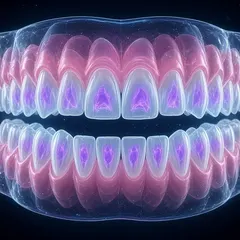
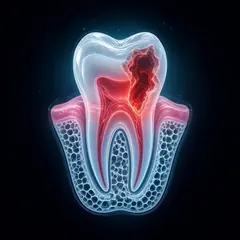
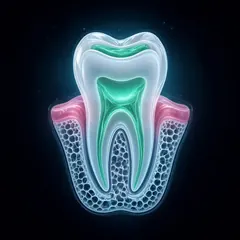
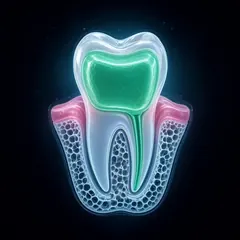
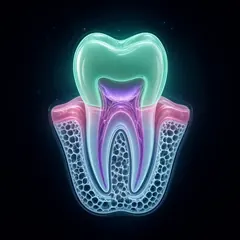
From finished note to case presentation.
HoloNotes generates a custom case presentation for each patient, to help increase case acceptance.

-
1
Tap Export, then HoloNotes
Open a finished note from a recorded visit. That is all it needs.
-
2
Carey writes it in plain language
What you found, the plan step by step, the other options, and a picture for each.
-
3
Present it full screen
Open carenotes.ai/holonotes on the screen you share with your patient and tap the visit.
-
4
Send it home
Email your patient a secure private link. It opens with a one-time code sent to the same inbox.
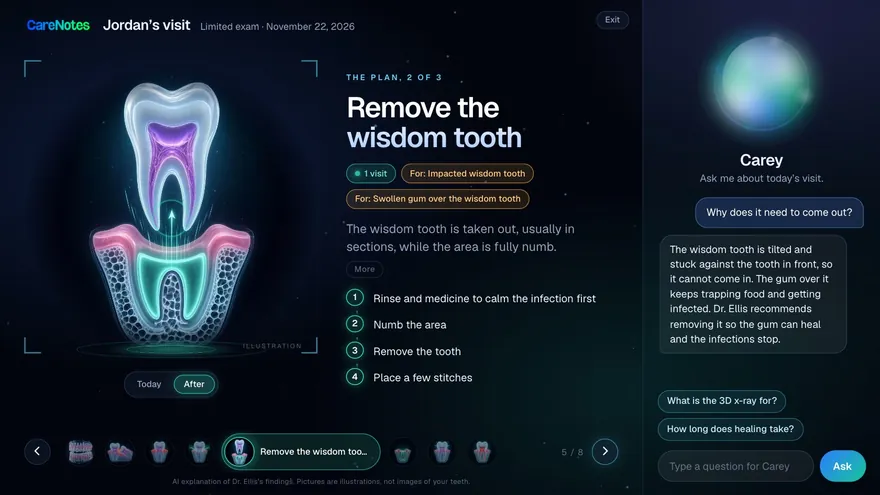
Ten example visits, ready to open.
From a toothache to crowded teeth. Each one is fictional, and opens the way your patient would see it.
-
 Comprehensive exam
Cracked tooth
A crown, or a large filling
-
 Emergency exam
Toothache
Root canal, build-up, and crown
-
 Limited exam
Wisdom tooth
3D x-ray, removal, and healing
-
 Periodontal exam
Gum disease
Deep cleaning and home care
-
 Emergency exam
Tooth removal
Removal first, then implant or bridge
-
 Child exam and cleaning
Child checkup
New teeth, sealants, a small filling
-
 Recall exam
Grinding
Night guard and a bite adjustment
-
 Orthodontic consult
Crowded teeth
Aligners, braces, and a retainer
-
 Cosmetic consult
Stains and a chip
Whitening and a veneer
-
 Recall exam and cleaning
Routine checkup
Old filling, receding gum, a sore spot
#1 beloved AI dental notes. Trusted by dentists worldwide.
AI Dental Notes
Tap once. Be with your patient. Walk out with the note done.
Follow Dr. Billy through a visit. One tap starts recording, the phone goes back in your pocket, and CareNotes turns the conversation into a chart-ready note by the time you leave the operatory. Core note-taking is free.
Built by dentists. HIPAA, PIPEDA & GDPR compliant.
- 1Tap Start
- 2Phone in pocket. Just talk.
- 3Walk out. Note is done.
Built on the labor of a real dental practice
How a note comes together
Record the visit. Review the capsules. Send it to the chart.
One fictional visit from our sample notes. On the left, the Composite is recorded and written. On the right, the finished note: one tap changes a capsule, one more sends it to Open Dental. Hover over the finished note to use the real one.
Record the visit
Pick the procedure, tap record, talk.
Review and send
Hover to use the real note
Chrome Extension
Hands-free in every treatment room.
Today’s patients, real-time clinical notes, and voice perio charting, right in the browser. Clip any Bluetooth mic in the room, plug its receiver into the operatory computer, and add CareNotes to Chrome. That room is ready to record.
- 1Clip a Bluetooth mic in the room
- 2Plug the receiver into the computer
- 3Add CareNotes to Chrome
- 4Sign in. Start recording.
Calendar Sync
Your schedule, already in your pocket.
Link your practice software once. Every patient on today’s schedule appears in CareNotes, ready to record. Available with Premium.


Morning Huddle
Every provider, prepped before the first patient.
Built from today’s schedule. One briefing for the whole office, with a printable PDF for the huddle table.

Direct Note Upload
Tap once. The note is in the chart.
Upload and sign every finished note straight to your practice software.


CareAssist
Know the patient before they sit down.
A clinical recap, the personal details that matter, and a conversation opener.

CareNotes on Apple Watch
Record from the wrist. Finish on the phone.
Start a session without touching your phone. The note is waiting when you walk out.


Chrome Extension
Hands-free in every treatment room.
Today’s patients, real-time clinical notes, and voice perio charting, right in the browser.

CareAssist
Three things to know before you say hello.
Clinical summary
What happened last visit, what to monitor today, and anything still open in the plan.
Personal context
The details patients mention in passing, remembered for you so nothing feels like a first visit.
Conversation opener
One line to start warm. Follow up on the trip, the event, the new job.
CareAssist uses your CareNotes history and, with Premium and a linked PMS, today’s schedule. How CareAssist works.
Chrome Extension
The operatory computer becomes a scribe.
Today’s patients
Pick the provider and the date. The visit list is already there.
Real-time clinical notes
Start recording from the browser. The note drafts while you work.
Voice perio chart
Call out pocket depths hands-free. Structured perio lands in the chart on supported systems.
Any microphone the computer can see, including a dedicated room mic. How the Chrome Extension works, or contact us and we will help your team set up every treatment room.
Action Button
One press. Recording.
Set the Action Button to CareNotes once. From then on, a single press starts a recording, whatever is on your screen: walking into the operatory, between patients, phone still in your pocket a second ago.
Requires an iPhone with an Action Button (iPhone 15 Pro and later) on iOS 18 or newer.
Be present with your patients.
Core note-taking is free. Premium links your practice software, $99.99 a month per location with unlimited users.
Built by dentists. HIPAA, PIPEDA & GDPR compliant. Zero commitment, cancel anytime.